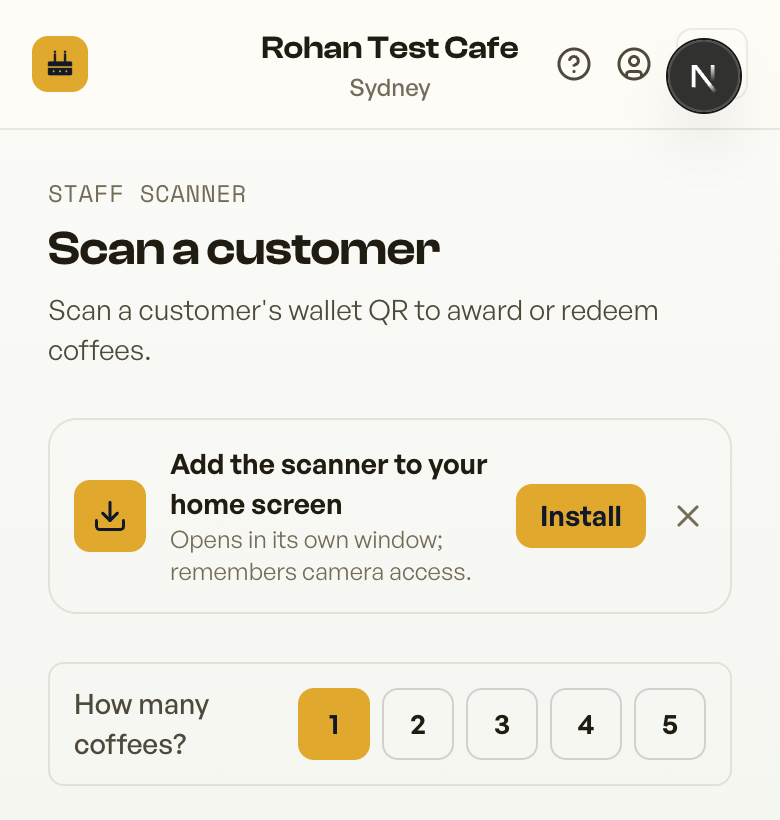
Install the scanner like an app so it opens fast and remembers camera permission.
Adding the scanner to your home screen makes it open like a normal app and remembers the camera permission, so staff aren't asked to allow the camera every time. Open the scanner in your phone's browser first, then:
The scanner shows an Install prompt you can add to your home screen
iPhone / iPad (Safari)
Tap the Share button (the square with an up arrow) in the toolbar.
Scroll down and tap Add to Home Screen.
Tap Add. The Retriever scanner icon appears on your home screen.
Android (Chrome)
Tap the Install prompt if it appears - or tap the ⋮ menu (top-right).
Tap Install app (or Add to Home screen).
Confirm, and the scanner is added to your home screen and app drawer.
Computer (Chrome or Edge)
Use the same Install prompt, or click the install icon at the right of the address bar - handy for a till or counter laptop.
Open it from the new icon (not a browser tab) so the camera permission sticks between shifts.