Login & account help
Signup access, normal login, password resets, clearing old site data, and fixing a mistyped email.
Signup access
The first time you sign up, Retriever creates your café and opens the dashboard. If email confirmation is required for your account, Retriever will show a check-your-email message instead. After that you simply log in with your email and password.
Logging in
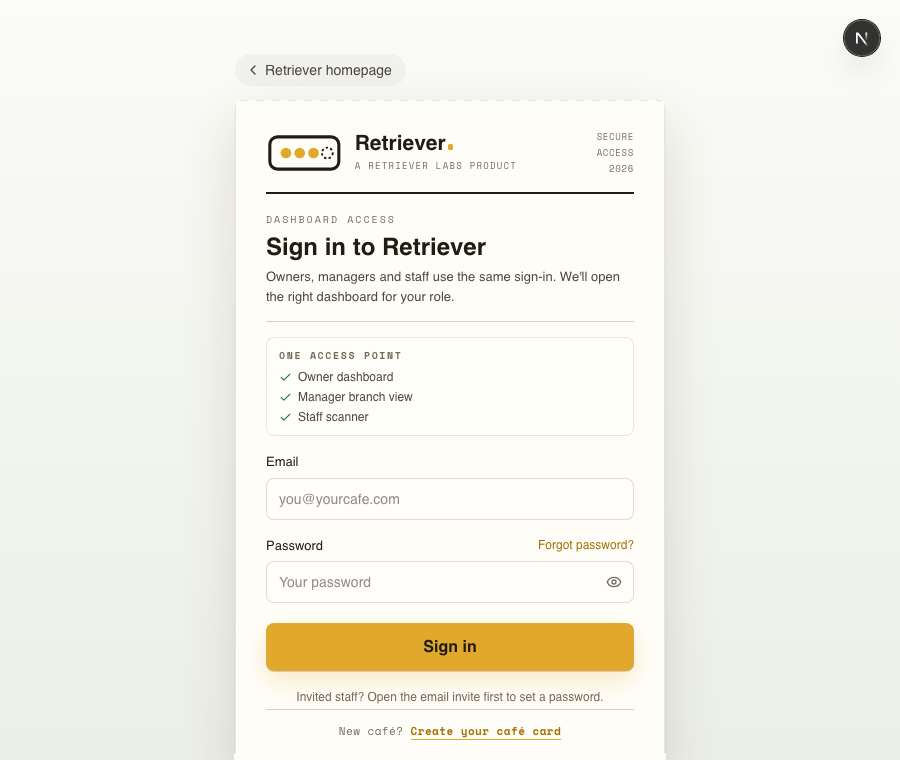
Use your email and password at retrieverlabs.net/login. If you stay signed in, returning to the site takes you straight to your dashboard.
Forgot your password
Use Forgot passwordfor a secure reset link. It expires in an hour - check your spam and promotions folders if it doesn't appear.
Can't log in, or the reset email never arrives
The most common cause is a typo in your email at sign-up - a reset link sent to the wrong address never arrives. Double-check the exact spelling you registered with. If you think you mistyped it, message us from the dashboard contact page if you can sign in, or the support pageif you can't.
If login keeps looping or the dashboard looks stuck
If you know the password is right but the browser keeps refreshing, stays signed into the wrong account, or shows an old screen, clear Retriever's saved site data and try again.
- Open a fresh tab and go to retrieverlabs.net.
- Sign out if the app still lets you open Account.
- Clear site data for Retriever only, then close and reopen the browser.
- Go back to retrieverlabs.net/login and sign in again.
Clear site data by browser
Chrome or Edge: open Settings → Privacy and security → Third-party cookies or Site settings → See all site data, search for retrieverlabs.net, then delete it.
Safari on iPhone: open iPhone Settings → Safari → Advanced → Website Data, search for retrieverlabs.net, then delete it. If the scanner was added to your Home Screen, remove and add it again after logging in.
Safari on Mac: open Safari Settings → Privacy → Manage Website Data, search for retrieverlabs.net, then remove it.
Clearing all browsing history also works, but clearing only Retriever site data avoids signing you out of other websites.
Thanks for using Retriever · We reply within a day