Wallet points not updating
What to check when a customer's Apple or Google Wallet pass looks stuck after a scan.
Sometimes Apple Wallet or Google Wallet takes a moment to refresh. The important thing: the scanner and dashboard are the source of truth, so don't add duplicate stamps just because the customer's phone looks behind.
Quick fix at the counter
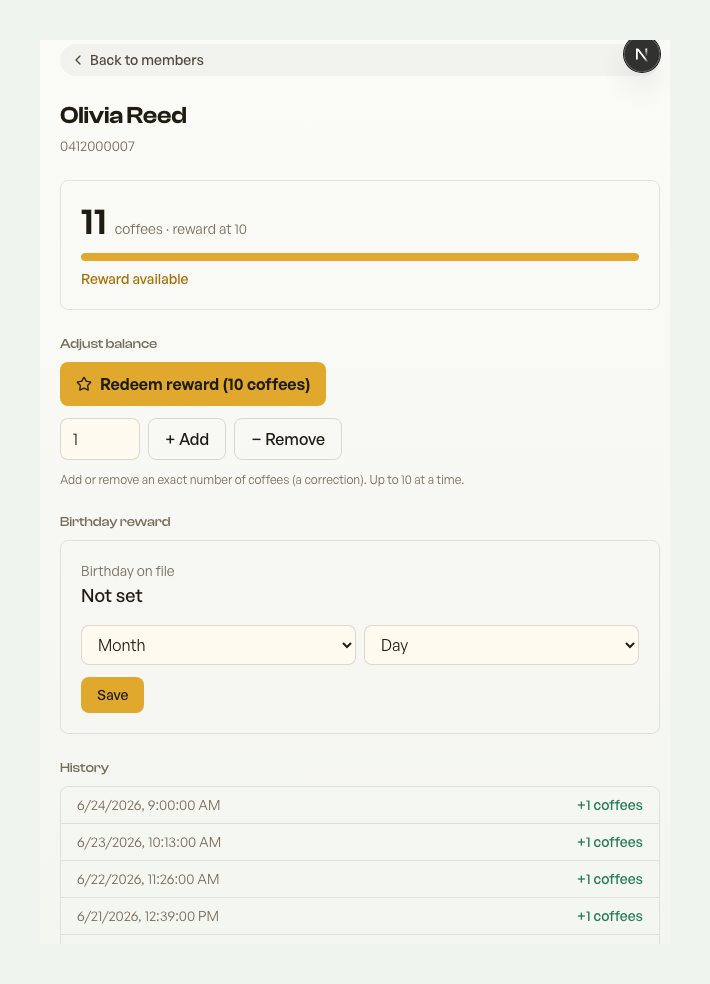
- Check the scanner result. If it showed the new balance or reward status, the stamp was saved.
- Ask the customer to close Apple Wallet or Google Wallet fully, then open the pass again.
- Wait a minute if the phone has weak internet or just came back online.
- If they need proof right away, open their personal card link or look them up by phone in the scanner.
Check before adding another stamp
Scan the QR again or search them by name or phone. If Retriever shows the correct balance, the wallet app is just stale. Do not award again unless the scanner/dashboard says the stamp was not recorded.
If one customer's pass stays stuck
- Ask them to open the café join page and use Already joined? Find your card.
- Have them add the pass to Apple Wallet or Google Wallet again.
- Removing and re-adding the pass does not erase their points - the balance lives in Retriever.
If many customers are not updating
Contact support from the dashboard. Include the café name, the customer phone number if it is one member, what the scanner shows, and what the wallet pass shows. That helps us check whether Apple/Google wallet updates, pass credentials, or a branch scanner are involved.
The web card is a useful fallback. It opens on any phone, shows the current balance and has the same QR for staff to scan.
Thanks for using Retriever · We reply within a day