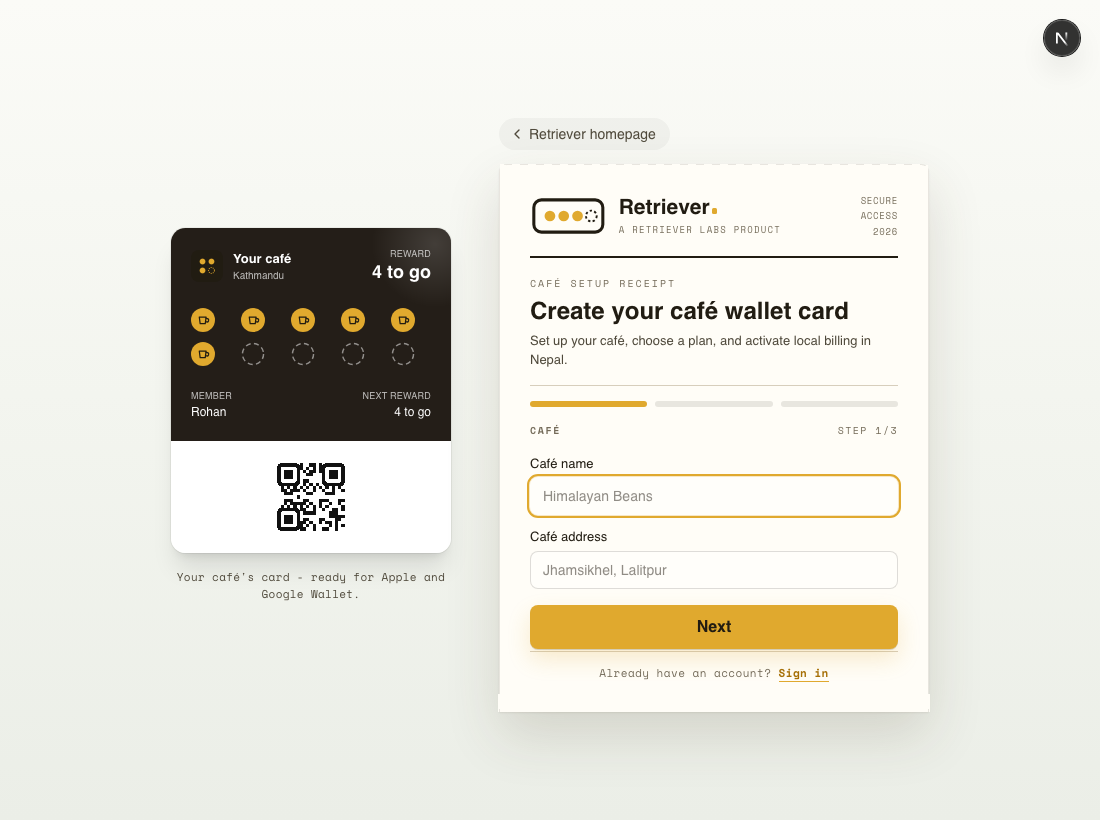
Create your café, customise your card, and award your first stamp - start to finish.
Retriever gives your café a digital loyalty card that lives in Apple Wallet and Google Wallet - no app for you or your customers to install. Here's the whole setup, start to finish.
Step 1 - create your café at /signup
Create your café. Sign up at retrieverlabs.net/signup, choose Pro or Pro Max, and open your dashboard. If email confirmation is required for your account, Retriever will show a check-your-email message.
Make it yours. In Card design, set your reward rules, stamp icon, colours and logo. Apple Wallet updates visually; Google Wallet needs a saved PNG or JPEG logo before customers can add the pass.
Print your join poster. Open Branches → Branch posters. The join link is shared across the brand, while each poster can show that branch's name and address.
Award stamps. Open the scannerand point it at a customer's wallet QR. Branch scanners share the same customers and balance, but record which location handled the scan.
Redeem rewards. When a customer hits your threshold, the scanner shows a Redeem button.
Add your team. Invite staff from Team or from a branch. You can assign managers to branch dashboards and scanners.
New cafés choose Pro or Pro Max during signup. In Nepal you pay locally by eSewa, Khalti or cash, and Retriever Labs activates your café once payment lands.